
Ask ten students what they think of Handshake and you could get ten descriptions of what sounds like ten different products. That's barely an exaggeration. The career platform serves students, recent graduates, universities and employers hunting for early-career talent, and it looks and behaves differently depending on which school you're tied to, what kind of account you hold and how a particular employer has set up its listing. For a tool so many graduates are told to rely on, that inconsistency is the whole story.
Icon Polls rates Handshake 1.0 out of 5 for 2026. It's a deliberately strict score, and it needs context, because plenty of things work. The free app runs, jobs can be searched and applied for, Quick Apply removes friction, and students at active partner schools can get real value from career-centre tools. The rating reflects how unevenly those pieces fit together for the person who opens the app wanting one thing: a job.
The scorecard
| Area | Stars | Icon Polls score |
|---|---|---|
| Job search experience | ★★☆☆☆ | 1.5/5 |
| Mobile app | ★★☆☆☆ | 1.8/5 |
| Login and sign up | ★☆☆☆☆ | 1.2/5 |
| Dashboard and navigation | ★☆☆☆☆ | 1.0/5 |
| Application experience | ★☆☆☆☆ | 1.1/5 |
| Access without a partner school | ★☆☆☆☆ | 0.8/5 |
| Consistency across users | ★☆☆☆☆ | 0.7/5 |
| Overall | ★☆☆☆☆ | 1.0/5 |
A career network that runs through your campus
At its core, Handshake is an online career network for students, alumni and early-career job seekers. Colleges plug it into their career services. Employers post jobs, join career fairs, message candidates and review applicants. Students search for internships and roles, follow companies, sign up for events and, if their school participates, book appointments and use other career-centre services.
That last condition matters more than anything else on the platform. A student linked to a partner school can see school-specific jobs, appointments, fairs and surveys. Someone who creates an individual account without a school can still use parts of Handshake, but those school features simply aren't there. Two people can log in on the same day and come away with completely different opinions, and both would be right.
Getting in is harder than it should be
Students at partner schools are often invited by their career centre and claim an account through that connection. Without an invite, you search for your school during registration, and in supported cases you can carry on with no school at all. Individual accounts come with their own eligibility rules, including a higher minimum age when there's no school affiliation.
Then comes the wait. A school connection might be approved automatically based on your email domain, or it might sit pending until a career centre approves it by hand. Until then, school services stay hidden.
Logging in has its own maze. Depending on how the account was made, you might use school single sign-on, a school email, Handshake credentials, email-based access or, in newer flows, Google. Flexible, yes. But students can end up with a school-created account, a personal one, an alumni one and occasionally a separate employer account. Pick the wrong route and it looks as though your saved jobs and documents have vanished. If you're about to lose your university email after graduation, sort out recovery and alumni access first rather than starting fresh, because your application history lives on the original account.
From a university administrator's point of view, all of this makes sense. From a job seeker's, it's a lot of institutional plumbing between you and a vacancy.
One app, too many jobs to do
The free iOS and Android app covers job search, applications on supported roles, events, career fairs, the Feed and profile management. Handshake itself recommends the app over a mobile browser, where some features can be limited or less reliable. Fair advice, though it means anyone reluctant to install yet another app gets a weaker experience.
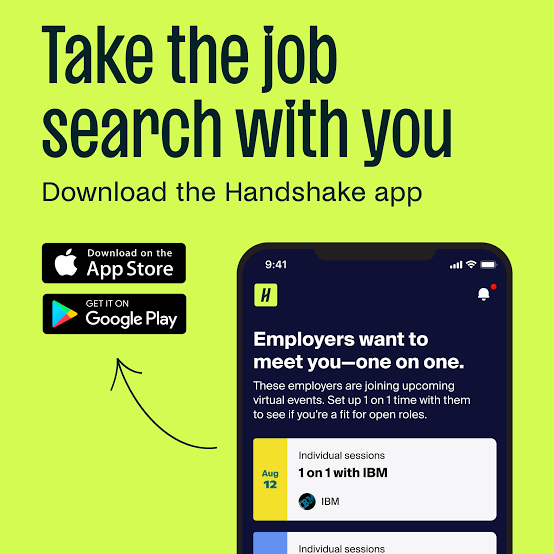
The bigger issue is focus. Handshake has grown well beyond a job board, and its home screen shows it. Jobs share space with posts, employer content, events, recommendations and career-centre activity. Someone who wants a full campus career community may like that. Someone who wants a clean list of roles and a clear view of application status will find the extra layers in the way. A career app should make the shortest path to a relevant job obvious. Handshake tends to add paths instead.
The dashboard also shifts with account type. No school connection, or a pending one, and the Career Center option may not appear at all. That's why online tutorials so often fail to match what you see on your own screen.
Three buttons, three different experiences
Applying is where the inconsistency becomes most practical. A listing will show one of three options:
- Quick Apply: the smooth one. Available when you meet the employer's preferences and the job needs either no document or a single resume already uploaded or pending approval.
- Apply: stays inside Handshake but may ask for documents or extra steps.
- Apply Externally: sends you to the employer's own site, often meaning a new account and the same details typed in all over again.
That external handoff is our biggest complaint. It undercuts the idea of Handshake as a complete application platform, and it splits your tracking between two places. Jobs you've applied for show up in My Jobs, but how much status detail you get depends on how the employer collected the application. Handshake also caps daily applications to curb automated mass applying. Normal users won't hit it.
Where the listings earn their place
Credit where it's due. The Jobs section has useful filters, a separate Saved area and detail pages built from employer information. More importantly, many listings are aimed squarely at students and recent graduates, so you're less likely to open an "entry-level" role that quietly wants five years of experience. Students attached to an active career centre can see campus-targeted opportunities they might not find elsewhere.
Outside that setup, the listings feel far less distinctive next to bigger general job platforms. Quality depends on which employers recruit through your school network, your location and your field.
What it gets right, and what it doesn't
Strengths
- Free app on iOS and Android
- Genuine focus on internships and early-career roles
- Quick Apply speeds up simple applications
- Partner schools can link jobs with fairs, appointments and career services
- Employers can reach university communities directly
Weaknesses
- The experience changes too much with school connection and account type
- External applications break the flow
- Student, personal and alumni logins are easy to mix up
- Pending school approval delays full access
- A busy feed competes with the actual job search
Use it, but don't lean on it alone
The best version of Handshake is easy to picture: a student at an engaged partner university sees relevant employers, attends a fair, saves a role and applies in a few taps. The worst version involves a pending approval, a missing Career Center, an external application site and two half-remembered logins. Both live on the same platform, and that's why the score sits where it does. Students at well-run partner schools may reasonably rate it much higher.
Our advice is simple. Check Handshake, because some universities and employers lean on it heavily and certain roles may not be advertised elsewhere. Just keep a separate search routine for broader roles and direct applications. And if you think Handshake, or something else, deserves a spot among the internet's genuinely helpful tools, cast your vote in our World's Most Useful Websites poll.

Short answers to common snags
Is the Handshake app free?
Yes. It's free to download and use on iOS and Android, and Handshake also works in supported desktop browsers.
Can I sign up without a school?
Eligible users in supported regions can create an individual account, but they won't get the school-specific features that partner-school students see.
Why is the Career Center missing from my dashboard?
Usually because your account isn't connected to a school, the connection is still pending career-centre approval, or your school isn't a Handshake partner.